Cerebrum changelog
10.9.26 Release Notes
Release Notes
vID
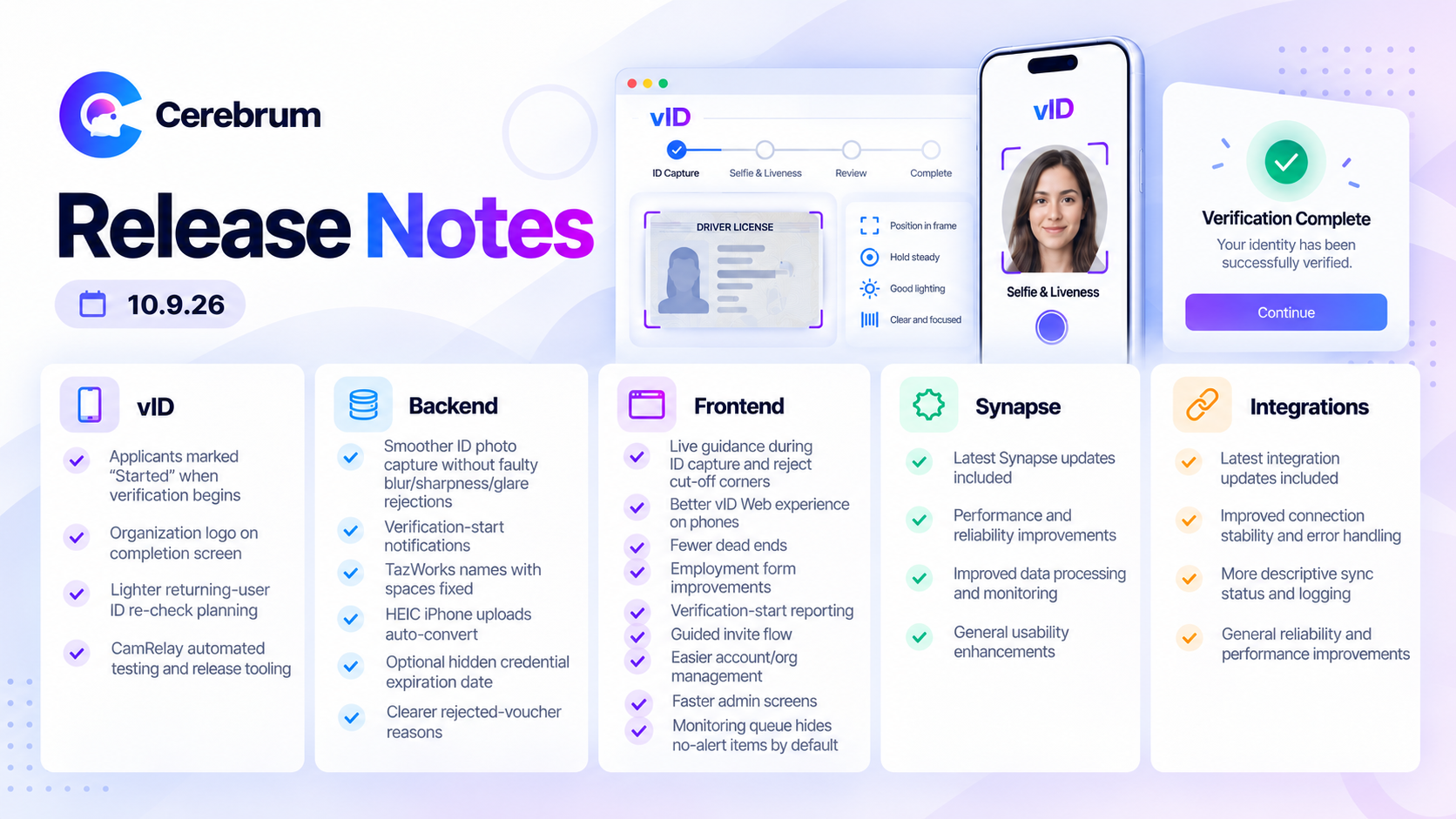
Partners can see when an applicant starts verification. Applicants who open a verification in the vID app are now marked as started, so partners and support can tell the difference between invited and in progress. (VID-1780)
Organization logo on the completion screen. The “ID verification submitted” screen now shows the organization’s logo after a one-and-done order. (VID-1589)
Plan for a lighter ID re-check. Scoping is complete for a faster way to confirm a returning student is the same person who passed before. (VID-1772)
Behind the scenes: automated testing and release tooling for the CamRelay camera component. (VID-1781, VID-1782, VID-1784)
Backend
Smoother ID photo capture. Photo capture no longer rejects good ID photos because of faulty blur, sharpness, and glare checks. The system also selects the best frame and uses less processing. (BAC-2444, BAC-2445, BAC-2427, BAC-2453)
Verification start notifications. Vouchers now show a Started status and notify partners when an applicant begins verification, including those who already belong to the organization. (BAC-2442)
Names with spaces now match in TazWorks. First and last names that contain spaces are now sent to TazWorks correctly, which fixes orders that failed with ID_NOT_VERIFIED. (BAC-2438)
iPhone photos upload reliably. HEIC photos from iPhones are now converted automatically when they are uploaded. (BAC-2328)
Hide the expiration date on a vID credential. Organizations can now choose to hide the expiration date in the vID wallet. (BAC-2415)
Clearer reasons when a voucher is rejected. People with an expired, used or canceled voucher now see the right explanation more consistently. (BAC-2431)
Client follow-ups resolved. We investigated and closed both the invite name-update report and the monitoring report question. (BAC-2414, BAC-2422)
Behind the scenes: invite status export for a client (CSV). (BAC-2435)
Frontend
Live guidance while capturing an ID. vID Web now tells applicants to move closer, move back, show the barcode or hold steady. Photos are also rejected when any ID corner is cut off. (FRN-3555, FRN-3552)
Better vID Web on phones. Pop-up windows, the thank-you message and the Beam submit button are now centered and properly sized on mobile. Bullet points in the disclosure are spaced out. (FRN-3501, FRN-3510, FRN-3511, FRN-2733)
Fewer dead ends for applicants. Unverified users are no longer sent to a broken page after logging in. Lowercase license numbers are accepted on the motor vehicle registration form. (FRN-3597, FRN-3495)
Employment forms. Supervisor is now required, matching TazWorks. “Continue with Current Data” submits the form in one click. Beam error messages are clearer. (FRN-2431, FRN-3533, FRN-3493)
Verification start reporting in vID Web. vID Web reports when an applicant starts verification, matching the vID app. (FRN-3582)
A guided flow for sending invites. Sending invites now moves from setup to recipients to review and send. Package and pass type lists are searchable, and headings are capitalized consistently. (FRN-3531, FRN-3572, FRN-3562, FRN-3561)
Easier account and organization management. Cognition user pages now show an organization’s orders and invites with that person. The organization page has a clearer name and layout, and the adverse action email editor is easier to use. (FRN-3540, FRN-3536, FRN-3541)
Faster, cleaner admin screens. The audit log now loads instead of timing out. Editing a user saves correctly in production, and the “User info saved” message goes away on its own. (FRN-3538, FRN-3550, FRN-3534)
Monitoring queue shows only potential hits. Monitoring reports with no alerts are hidden by default, so the queue is limited to items that need review. Requested by JDP. (FRN-3535)
Behind the scenes: Cognition navigation upgrade, privacy-related logging fixes and a future Beam enhancement written up for later. (FRN-3520, FRN-3521, FRN-3522, FRN-3523, FRN-3524, FRN-3527, FRN-3285)
Synapse
More accurate name matching. Name checks are more careful. A name entered backwards is now sent to a person for review, mismatched aliases are no longer dropped before review, and excluding nicknames still keeps the formal name variations. Name variations found during case formation are now written back to the order under one setting. (SYN-516, SYN-530, SYN-641, SYN-602)
More reliable results sent to TazWorks. Searches with no hits now complete cleanly instead of failing, including those that contain an administrative SSN record, and the SSN validation flag stays visible to reviewers. Two causes of TazWorks errors were fixed, and offense severity is read more accurately. (SYN-640, SYN-629, SYN-632, SYN-603, SYN-652, SYN-655)
Wider search coverage. Case formation can now send county searches to Puerto Rico and process county criminal searches. Federal criminal settings are handled automatically, and the employment verification order errors reported by JDP were investigated. The same order can be handled by more than one type of agent. (SYN-635, SYN-616, SYN-597, SYN-552, SYN-600)
Simpler agent setup. Agents can be copied and created before clients are assigned, and the edit page is now a guided, sectioned form. Product-level client lists send orders to the right agent, and the result-reason suppression setting can be saved. JDP clients were set up with their case formation agent. (SYN-619, SYN-631, SYN-549, SYN-618, SYN-630, SYN-649)
A refreshed Synapse look. The homepage, agent overview and list, workflow library, run history, run results and usage analytics pages all have a cleaner, more consistent design. Expanded workflow graphs now fit on screen. (SYN-621, SYN-620, SYN-625, SYN-623, SYN-622, SYN-628, SYN-624, SYN-626)
Read-only API keys. Administrators can create read-only API keys for investigations. Access follows the key owner’s current organizations. (SYN-642)
Behind the scenes: development demo sandbox with sample data. (SYN-627)
Integrations
ADP Recruiting Management is live. The ADP integration went live Sept 29. Production credentials are set up and the review and fail paths were verified with ADP. The team is now alerted if ADP rejects a status update, which caught a real rejection on go-live day. (INT-168, INT-187, INT-219, INT-231)
Iowa SING searches retry automatically. Failed Iowa SING submissions are retried up to three times, and every attempt is recorded. Insufficient funds are flagged clearly. (INT-228)
Mycelium search retries. Failed searches in Mycelium can now be retried without a manual step in the Mycelium app. (INT-148)
Behind the scenes: removal of a mistakenly created ADP webhook on the Dhanani production organization. (INT-227)