Cerebrum changelog
Changelog
The latest Cerebrum releases and improvements.
By continuing, you agree to our T&C and Privacy Policy.
10.9.26 Release Notes
Release Notes
vID
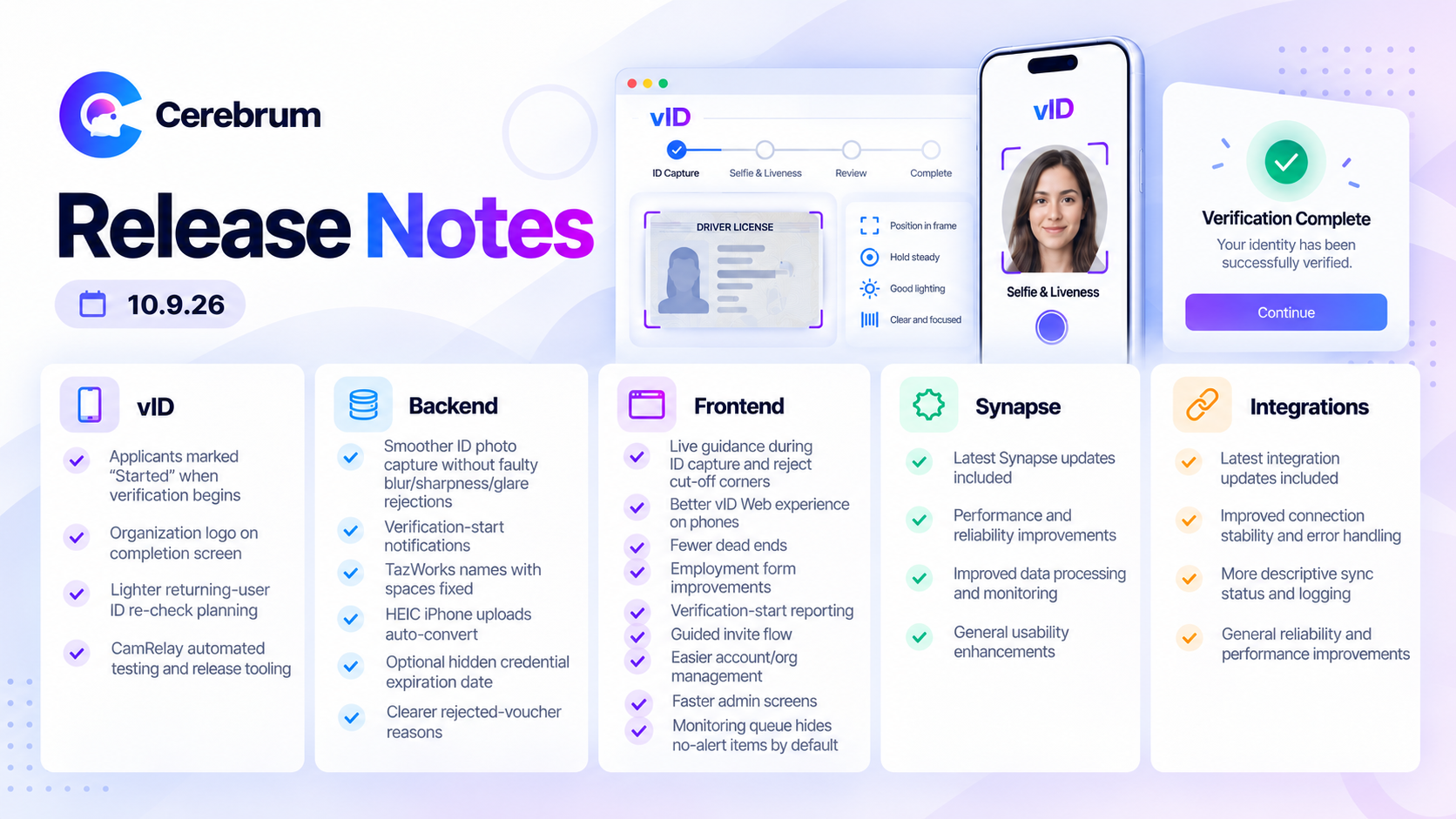
Partners can see when an applicant starts verification. Applicants who open a verification in the vID app are now marked as started, so partners and support can tell the difference between invited and in progress. (VID-1780)
Organization logo on the completion screen. The “ID verification submitted” screen now shows the organization’s logo after a one-and-done order. (VID-1589)
Plan for a lighter ID re-check. Scoping is complete for a faster way to confirm a returning student is the same person who passed before. (VID-1772)
Behind the scenes: automated testing and release tooling for the CamRelay camera component. (VID-1781, VID-1782, VID-1784)
Backend
Smoother ID photo capture. Photo capture no longer rejects good ID photos because of faulty blur, sharpness, and glare checks. The system also selects the best frame and uses less processing. (BAC-2444, BAC-2445, BAC-2427, BAC-2453)
Verification start notifications. Vouchers now show a Started status and notify partners when an applicant begins verification, including those who already belong to the organization. (BAC-2442)
Names with spaces now match in TazWorks. First and last names that contain spaces are now sent to TazWorks correctly, which fixes orders that failed with ID_NOT_VERIFIED. (BAC-2438)
iPhone photos upload reliably. HEIC photos from iPhones are now converted automatically when they are uploaded. (BAC-2328)
Hide the expiration date on a vID credential. Organizations can now choose to hide the expiration date in the vID wallet. (BAC-2415)
Clearer reasons when a voucher is rejected. People with an expired, used or canceled voucher now see the right explanation more consistently. (BAC-2431)
Client follow-ups resolved. We investigated and closed both the invite name-update report and the monitoring report question. (BAC-2414, BAC-2422)
Behind the scenes: invite status export for a client (CSV). (BAC-2435)
Frontend
Live guidance while capturing an ID. vID Web now tells applicants to move closer, move back, show the barcode or hold steady. Photos are also rejected when any ID corner is cut off. (FRN-3555, FRN-3552)
Better vID Web on phones. Pop-up windows, the thank-you message and the Beam submit button are now centered and properly sized on mobile. Bullet points in the disclosure are spaced out. (FRN-3501, FRN-3510, FRN-3511, FRN-2733)
Fewer dead ends for applicants. Unverified users are no longer sent to a broken page after logging in. Lowercase license numbers are accepted on the motor vehicle registration form. (FRN-3597, FRN-3495)
Employment forms. Supervisor is now required, matching TazWorks. “Continue with Current Data” submits the form in one click. Beam error messages are clearer. (FRN-2431, FRN-3533, FRN-3493)
Verification start reporting in vID Web. vID Web reports when an applicant starts verification, matching the vID app. (FRN-3582)
A guided flow for sending invites. Sending invites now moves from setup to recipients to review and send. Package and pass type lists are searchable, and headings are capitalized consistently. (FRN-3531, FRN-3572, FRN-3562, FRN-3561)
Easier account and organization management. Cognition user pages now show an organization’s orders and invites with that person. The organization page has a clearer name and layout, and the adverse action email editor is easier to use. (FRN-3540, FRN-3536, FRN-3541)
Faster, cleaner admin screens. The audit log now loads instead of timing out. Editing a user saves correctly in production, and the “User info saved” message goes away on its own. (FRN-3538, FRN-3550, FRN-3534)
Monitoring queue shows only potential hits. Monitoring reports with no alerts are hidden by default, so the queue is limited to items that need review. Requested by JDP. (FRN-3535)
Behind the scenes: Cognition navigation upgrade, privacy-related logging fixes and a future Beam enhancement written up for later. (FRN-3520, FRN-3521, FRN-3522, FRN-3523, FRN-3524, FRN-3527, FRN-3285)
Synapse
More accurate name matching. Name checks are more careful. A name entered backwards is now sent to a person for review, mismatched aliases are no longer dropped before review, and excluding nicknames still keeps the formal name variations. Name variations found during case formation are now written back to the order under one setting. (SYN-516, SYN-530, SYN-641, SYN-602)
More reliable results sent to TazWorks. Searches with no hits now complete cleanly instead of failing, including those that contain an administrative SSN record, and the SSN validation flag stays visible to reviewers. Two causes of TazWorks errors were fixed, and offense severity is read more accurately. (SYN-640, SYN-629, SYN-632, SYN-603, SYN-652, SYN-655)
Wider search coverage. Case formation can now send county searches to Puerto Rico and process county criminal searches. Federal criminal settings are handled automatically, and the employment verification order errors reported by JDP were investigated. The same order can be handled by more than one type of agent. (SYN-635, SYN-616, SYN-597, SYN-552, SYN-600)
Simpler agent setup. Agents can be copied and created before clients are assigned, and the edit page is now a guided, sectioned form. Product-level client lists send orders to the right agent, and the result-reason suppression setting can be saved. JDP clients were set up with their case formation agent. (SYN-619, SYN-631, SYN-549, SYN-618, SYN-630, SYN-649)
A refreshed Synapse look. The homepage, agent overview and list, workflow library, run history, run results and usage analytics pages all have a cleaner, more consistent design. Expanded workflow graphs now fit on screen. (SYN-621, SYN-620, SYN-625, SYN-623, SYN-622, SYN-628, SYN-624, SYN-626)
Read-only API keys. Administrators can create read-only API keys for investigations. Access follows the key owner’s current organizations. (SYN-642)
Behind the scenes: development demo sandbox with sample data. (SYN-627)
Integrations
ADP Recruiting Management is live. The ADP integration went live Sept 29. Production credentials are set up and the review and fail paths were verified with ADP. The team is now alerted if ADP rejects a status update, which caught a real rejection on go-live day. (INT-168, INT-187, INT-219, INT-231)
Iowa SING searches retry automatically. Failed Iowa SING submissions are retried up to three times, and every attempt is recorded. Insufficient funds are flagged clearly. (INT-228)
Mycelium search retries. Failed searches in Mycelium can now be retried without a manual step in the Mycelium app. (INT-148)
Behind the scenes: removal of a mistakenly created ADP webhook on the Dhanani production organization. (INT-227)
9.25.26 Release Notes
Release Notes
vID
Identity verification — mobile & web capture
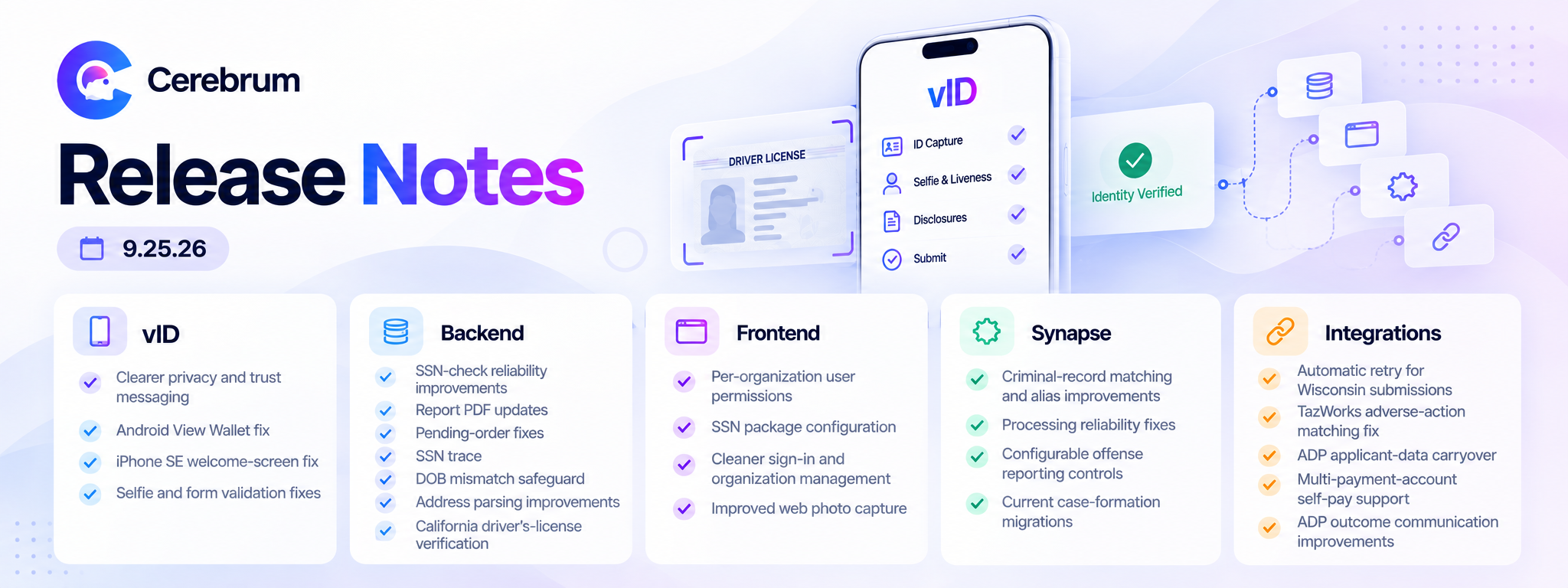
Added clearer privacy and trust messaging throughout the mobile verification flow, so applicants understand how their ID is being used before they share it.
VID-1757Fixed a rare bug where a user's identity details could be lost if a voucher update happened at the same moment as sign-up.
VID-1761Fixed the “View Wallet” button on Android, which wasn't responding to taps.
VID-1720Fixed a display issue with the welcome screen on iPhone SE.
VID-1431Fixed a gender-field validation gap and a date-entry issue on the ID verification form.
VID-1763VID-1764Cleaned up stray text baked into logo assets across the app.
VID-1769Resolved a selfie-capture issue reported for an individual applicant.
VID-1768
Backend
Orders that only need an SSN check no longer fail with a server error.
BAC-2426Background check report PDFs now update correctly when a report's status changes, instead of staying frozen on the first version generated.
BAC-2411Fixed orders that were stuck showing “Pending” after they had actually finished processing, and backfilled the historical orders affected.
BAC-2402BAC-2412Added SSN trace as a new, configurable option for background check orders.
BAC-2389BAC-2425Added a safeguard that flags when the date of birth on an invite doesn't match the scanned ID.
BAC-2408Improved address parsing so apartment and unit numbers no longer get merged into the street address when auto-captured from an ID.
BAC-2401Criminal record results now include court and county detail at the individual offense level.
BAC-2421Enabled an additional driver's-license verification path for California residents.
BAC-2419Fixed a “page not found” error some users hit when starting a verification on vID Web.
BAC-2390Clarified report wording for cases where no reportable records are found.
BAC-2355
Frontend
Organizations can now view and manage user permissions on a per-organization basis in Cognition.
FRN-3457Organizations can now add SSN search when configuring their background check packages.
FRN-3498Fixed a login bug that sent some users back to the marketing site instead of into the app.
FRN-3508Streamlined sign-in by removing an unnecessary terms pop-up.
FRN-3496Reorganized the Organizations page: attachments now sort newest first, report labels are clearer, and organization IDs are easier to find for support lookups.
FRN-3506FRN-3504Separated the organization switcher from profile settings for a cleaner menu, and rebuilt organization search as an easier-to-use pop-up window.
FRN-3479FRN-3197Account URLs now show readable organization names instead of ID numbers.
FRN-3490Fixed a scrolling glitch in the organization selector and an unresponsive “Generate” button.
FRN-3525FRN-2863Enabled the additional California driver's-license verification option in the Cortex reviewer view.
FRN-3503Improved the reliability of automatic photo capture during web-based ID verification.
FRN-3518FRN-3492
Synapse
Automated background-check decisioning
Corrected a Kentucky conviction-reporting rule that was applying the wrong reporting time limit, keeping results compliant with state law.
SYN-566Improved criminal-record matching and alias handling, reducing the number of cases that need manual review.
SYN-512SYN-520SYN-505SYN-507SYN-564SYN-528Fixed processing issues that could leave orders stuck or incomplete, including duplicate-record clean-up and case-formation errors.
SYN-563SYN-561SYN-567SYN-578SYN-591SYN-592SYN-588SYN-594Added client-configurable controls for offense reporting, including offense deny lists and conditional federal search handling.
SYN-339SYN-593Migrated Veritable Screening onto the current case-formation system and extended the same support to GIS orders.
SYN-568
Plus a broader round of under-the-hood accuracy and reliability work in the decisioning pipeline that doesn't change what clients see directly. SYN-571 SYN-550 SYN-558 SYN-472 SYN-376 SYN-442 SYN-444 SYN-501 SYN-551 SYN-598 SYN-599 SYN-595 SYN-579
Integrations
Third-party & state agency connections
Wisconsin state criminal-record submissions now retry automatically if they fail.
INT-226Fixed how pre-adverse-action decisions were matched and reported through the shared TazWorks integration.
INT-218vID invites sent through ADP now automatically carry over the applicant's name, date of birth, and phone number, cutting down on manual entry.
INT-214Added support for organizations that use more than one payment account in the self-pay flow.
INT-193Fixed a login issue with the Iowa state criminal-record portal caused by a third-party update.
INT-222Improved how adverse-action and manual-review outcomes are communicated back to ADP.
INT-217
9.11.26 Release Notes
Release Notes
vID 18 updates
The mobile and web app applicants use to scan an ID and take a selfie for identity verification.
FIXED
Corrected reversed on-screen guidance during ID scanning — "move left" and "move right" prompts now point the way that actually centers the ID.
Fixed the ID scanner occasionally getting stuck in a loading state after a failed capture, which had forced some users to restart the app.
Smoothed the camera's autofocus during ID capture so it settles on the document instead of pulsing in and out of focus.
Reduced false rejections during selfie capture caused by the system misreading open eyes as closed — a problem that disproportionately affected users wearing glasses or in uneven lighting.
Stopped brief lighting changes, like a passing shadow, from resetting an in-progress selfie capture.
Fixed some valid invite links failing to open correctly on Android.
Fixed a crash that occurred when a form included a hidden field with a pre-set value.
Fixed failed photo uploads sending users all the way back to redo their entire ID scan, instead of simply retrying the upload.
Fixed a glitch on employment forms where entering a date would unexpectedly pop open the next field's dropdown menu.
IMPROVED
Sharpened the accuracy of on-screen positioning guidance during ID capture, so instructions better match what the camera actually sees.
Fixed inconsistent auto-capture behavior during ID scans caused by the app comparing mismatched camera frames.
Manual entry forms now automatically scroll to the first field with an error, so mistakes are easier to spot and fix.
BEHIND THE SCENES
Added diagnostic tracking to the selfie capture flow, developer tooling improvements, and new automated test coverage for the ID scan, login and sign-up flows — no visible change, but fewer issues should slip through in future releases.
Backend 8 updates
The core platform that powers order processing, permissions, and Cortex's data behind the scenes.
FIXED
Fixed completed county-level criminal searches not appearing when looking up an order's search history through the API.
Recovered an order that had stalled after a brief service interruption, without duplicating any vendor work or charges.
Processors can now edit an applicant's SSN from the Edit Applicant screen — a permissions bug had been blocking this.
IMPROVED
Strengthened how order-processing steps are saved and tracked internally, cutting down the chance an order silently stalls without anyone knowing.
Tightened security around how report and document links are handled, closing a gap that could have exposed sensitive file links.
BEHIND THE SCENES
Internal data-consistency safeguard for how version numbers are recorded — no visible change.
Frontend 25 updates
Cognition and Cortex — the web apps CRA staff and clients use to manage orders, disputes, and accounts.
NEW
CRA compliance teams can now submit a dispute on an applicant's behalf directly in Cortex, replacing a manual workaround.
Added a simple on/off toggle for enabling CRA-submitted disputes in an organization's settings, instead of requiring a manual backend change.
Applicants on a slow connection now see a warning during ID/selfie capture explaining why things might be slow, instead of a silent failure.
FIXED
Fixed an apartment/unit number not saving correctly when editing an applicant's address.
Restored quick access to "Reorder" and other common order actions that had been buried in a menu.
Fixed order-detail buttons crowding or overlapping on smaller screens.
Fixed webhook-failure notification emails linking to the wrong organization.
Fixed the "Delete Organization" confirmation button staying greyed out even after correctly typing the confirmation text.
Replaced a confusing error shown when logging into Cortex while a two-factor login was already in progress in another tab.
Applicants who land on an error page mid-verification are now offered a way to resume, instead of getting stuck.
IMPROVED
Added checkbox and row selection to data tables across the app.
Added per-row loading indicators to data tables for clearer feedback while information loads.
Improved column alignment, width, and text styling across data tables for better readability.
Restored the row options menu in the redesigned table component.
Sped up and improved the accuracy of organization search.
Added pagination to the API keys list so accounts with many keys load faster.
Polished tooltip styling to match the rest of the design system.
Standardized fonts across the dispute center and its emails for a more consistent, on-brand look.
Set up new intake forms as part of onboarding a new corporate client.
BEHIND THE SCENES
Component documentation, form-autofill hardening, and internal code cleanup across the design system — no visible change.
Synapse 41 updates
The automation engine that reviews search results and criminal records to help build accurate background check reports.
FIXED
Fixed certain background check orders getting stuck mid-process and never completing.
Fixed a bug where a guilty criminal disposition was incorrectly withheld from a report as if it were a non-conviction.
Fixed valid, reportable criminal charges occasionally going missing from a report when part of a case needed manual review.
Fixed a timing issue where an order could finalize before all of its automated checks had actually finished.
Fixed criminal-record review outcomes being mislabeled as "automation failed" instead of showing the correct review result.
Fixed a failed county-level search dispatch caused by a jurisdiction naming mismatch.
Fixed an error that could occur while processing person-search results during case formation.
Fixed a data-entry issue where a client's ID and name fields could be swapped, which had caused searches to fail.
Fixed staff working across multiple organizations occasionally seeing automation data from an organization other than the one selected.
Fixed a mismatch that could cause background processing to run under the wrong organization.
Resolved several case-formation issues reported by a client, including search-jurisdiction handling and review routing.
IMPROVED
Improved matching for alias names with swapped first and last names, now based on how often the pattern actually occurs rather than a strict rule.
Reduced unnecessary manual reviews triggered when an alias's last name legitimately differs from the name an applicant provided.
Nickname matching now works both ways — recognizing "Nicholas" as a match for "Nick," not just the reverse.
Added an extra safeguard that routes unusual or uncertain name variations to a human reviewer instead of processing them automatically.
Expanded nickname recognition (e.g. "Peggy" for "Margaret") for a partner's criminal-record automation.
Completed a multi-part rebuild of the case-formation matching engine, improving the reliability and consistency of automated identity, address, and alias evaluation.
Tightened rules for classifying incomplete criminal-record outcomes, so ambiguous records aren't mistakenly treated as clear.
Added full support for recognizing "expunged" as its own criminal-record outcome, rather than a generic catch-all.
Strengthened internal data-integrity checks for how criminal-record outcomes are cataloged.
Improved separation between legal-status classification and reporting policy, for more consistent record handling.
Added configurable rules for when to automatically run deeper county-level searches on criminal records.
Background processing now skips and logs any client missing a required setup, instead of failing an entire processing batch.
Tightened security on Synapse's API to block requests from untrusted sources.
BEHIND THE SCENES
Migrated the disposition classifier to a newer AI engine with no change to how decisions are made, plus investigation of a processing error message — no visible change.
Database and deployment infrastructure improvements — no visible change.
Configured and onboarded several new clients and packages onto the automation platform — no visible change for existing users.
Integrations 2 updates
Connections between Cerebrum and outside systems — client platforms, screening vendors, and background check providers.
FIXED
Fixed an incorrect account-routing setting that had been affecting order flow for a client account.
BEHIND THE SCENES
Added automated test coverage confirming that decisions made by our screening partner correctly sync back to update an order's score — no visible change.
8.28.26 Release Notes
Release Notes
Sprint 55 · Aug 16–30, 2026
vID
The mobile and web app applicants use to verify their identity.
Fewer dead ends during verification
Fixed an Android error that blocked uploading a captured photo ID during verification, and closed a login mix-up where scanning someone else's invite link could leave a user stuck mid-verification with no way to complete biometric consent.
New: confirmation cue on the liveness check
The mobile app now gives a short vibration and chime when a liveness step (like a head turn) is successfully accepted, so users know it worked instead of repeating the step out of uncertainty — a top driver of negative feedback in recent reviews.
Employment verification now enforced correctly
Closed a gap where the app let an applicant continue even when they didn't meet a client's minimum years-of-experience requirement.
Visual polish across the flow
Straightened misaligned text on the certification, trust-center, invite-code, and terms & conditions screens, and switched the biometric consent screen to a more readable font.
Also completed — internal testing & build reliability
Cortex Platform
The core system behind orders, background checks, and everything Cortex users touch.
The two biggest causes of failed ID scans, fixed
Resolved auto-capture not triggering and back-of-ID scan failures — together the largest source of negative applicant feedback in July — along with a blinking-detection glitch that could reject a valid liveness check, and a specific Georgia driver's license that wouldn't scan.
Security: closed an exposed-link gap
An applicant's verification photo could previously be reached through a raw, unprotected link on the pass-verification page. That path is now closed.
Fewer slowdowns and outages
Fixed the root cause of two mid-August slowdowns triggered by very large client organizations, resolved intermittent unresponsiveness during document scanning, and stopped one bad request from causing several unrelated requests to fail with the same error. Automated county and national criminal search processing is also more reliable, with fewer results delayed or missed due to timing issues. Underneath it all, we completed a major upgrade of Cortex's core database software for better long-term performance and stability.
Clearer disputes and order management
CRAs can now submit an investigation request on an applicant's behalf, asking us to re-check an order when an applicant challenges their result. Available on request. Dispute outcomes now clearly state whether a dispute changed the report or not, instead of a single ambiguous "Resolved" label. Added one API call for partners to update an order's status and score together, and fixed signed disclosure documents that were failing to generate for a handful of legacy templates.
Smaller fixes worth knowing about
An order flagged for manual review due to a suspicious IP now shows the reviewer why. Running the same county search twice no longer returns inconsistent results. A criminal-search line item on reports was renamed for clarity, the verified user's name was added to the public credential-share page, and a Cortex order tied to a system-generated invite link that staff couldn't open is now fixed.
Also completed — client data investigations & internal config
Cortex & Cognition Interfaces
What CRA staff, applicants, and clients see and click on the web.
Navigation and session fixes
Fixed several bugs where going "back" left the app in a broken state — including a completed order still showing prior screens, and a two-factor login attempt that could trap a user in an infinite loading loop. Also fixed the "Try Again" button on the service-unavailable screen, and modals that rendered broken on mobile.
More reliable phone-to-desktop scanning
When an applicant scans their ID with a phone while completing an order on desktop, a brief connection drop no longer strands the session. The two devices now recover and stay in sync automatically.
Mobile and accessibility fixes
Fixed the biometric consent screen so text no longer runs off-screen and the required age checkbox is reachable on mobile. Fixed an overlapping share-link display and a horizontally scrolling contact page on mobile, and corrected address autofill so apartment/unit numbers populate properly.
New on-screen guidance and branding
Added a "Get Ready to Scan Your ID" screen before ID capture on web to reduce failed first attempts, added the verified user's name to the public wallet share page, and rolled out visible Databeam™ branding across the wallet-share and data-entry screens.
Also completed — internal tooling & design-system work
Synapse Automated Background-Check Processing
The engine that reads search results and decides what belongs on a report.
Report accuracy and legal compliance
Expunged and sealed criminal records are now always withheld from reports, as required by law, and a Kentucky-specific record-suppression rule was added. A configurable rule now handles the salary threshold some states use to determine reporting eligibility. Fixed a case where a non-reportable code was incorrectly showing up as an offense, and improved name-matching so titles like "Mr." aren't mistaken for a first name. Cases with a date-of-birth mismatch are now flagged for human review instead of processed automatically.
Clearer information for the review team
Added direct links to county court websites alongside recommended searches, and made automated review flags and processing summaries easier for the operations team to interpret while working a case.
Reliability
Case results that failed to reach Cortex due to a transient error now retry automatically instead of getting stuck, and a routing default for federal record searches was corrected and verified against real district mappings. Also verified, against real client-reported failures, that a batch of accuracy fixes for Advanced Reporting actually resolved them.
Also completed — internal engine rebuild & testing infrastructure
Partner & Vendor Connections
How Cerebrum's platform talks to client systems
More accurate status updates for partner systems
Corrected how third-party review decisions update candidate status in a partner ATS integration, so candidates under review now show correctly instead of being auto-failed. Also corrected the mapping of a vendor's decision outcomes into Cortex order statuses, and fixed a state search sync that could leave results stuck instead of automatically retrying.
New: professional license data now reaches search vendors
Professional license information collected from applicants is now passed through to the relevant background-check search automatically.